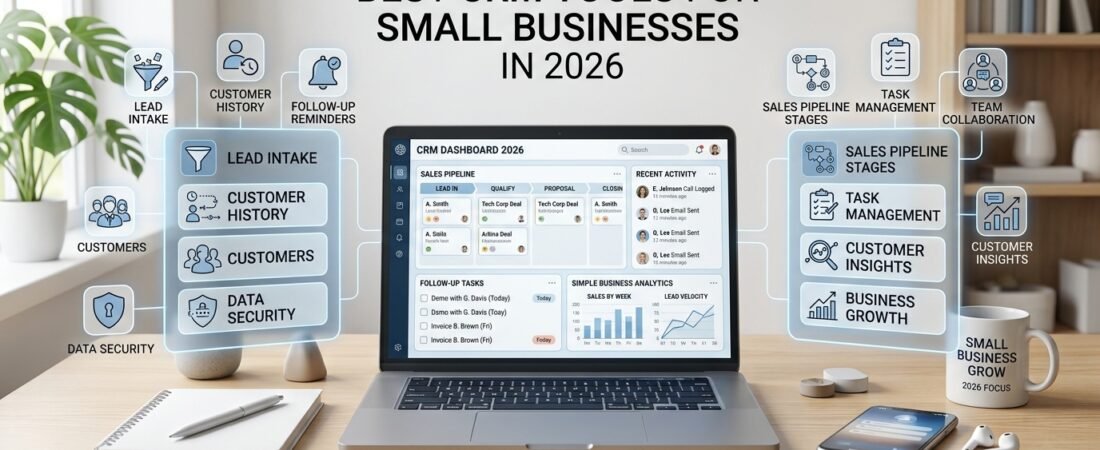
A customer relationship management system, commonly known as a CRM, helps businesses organize contacts, track leads, manage sales opportunities, and keep customer information in one place.
For small businesses, the best CRM is not necessarily the one with the most features. It is the one that makes customer management easier, improves follow-up, and fits the way the business works.
In this guide, we compare four CRM tools for small businesses in 2026: HubSpot CRM, Zoho CRM, Pipedrive, and Freshsales. You will learn what each platform offers, which businesses may benefit from it, and how to choose the right solution for your needs.
Quick Answer: Which CRM Is Best for Small Businesses?
The right CRM depends on your business goals, team size, and daily workflow.
- HubSpot CRM: Suitable for businesses that want contact management and sales tools with the option to expand into marketing and customer service.
- Zoho CRM: Worth considering if you need customizable workflows and flexible sales processes.
- Pipedrive: Designed for businesses that want to manage leads and deals through a visual sales pipeline.
- Freshsales: An option for teams that want customer management, sales activities, communication, and AI-assisted features.
These tools serve different needs rather than following one universal ranking. Before choosing, compare current pricing, plan limitations, integrations, and features.
What Is a CRM?
CRM stands for Customer Relationship Management.
A CRM is software that helps businesses organize information about existing customers and potential customers. Instead of storing details across spreadsheets, emails, notebooks, and separate applications, a business can use a CRM to maintain a more centralized record.
Depending on the platform and subscription plan, a CRM may help you manage:
- Contacts and companies
- Leads and sales opportunities
- Sales pipelines
- Customer communication history
- Tasks and follow-up reminders
- Meetings and appointments
- Sales reports and analytics
- Workflow automation
For a small business, the goal is simple: understand who your customers are, know where each opportunity stands, and make sure the next action is not forgotten.
Why Do Small Businesses Need CRM Software?
As a business grows, customer information becomes harder to manage manually.
Without a clear process, a business may experience problems such as:
- Forgetting to follow up with potential customers
- Losing important information in email conversations
- Contacting the same customer more than once
- Missing sales opportunities because no one tracks them
- Struggling to understand which deals are active
- Depending on one employee to remember every customer detail
A CRM can help create a shared record of customer information and sales activity. This makes it easier to track progress, coordinate work, and maintain more consistent customer communication.
A CRM is not simply a place to store data. Its real value comes from helping a business use that information to take the right action.
🔵 Related guide: Explore our AI tools for small businesses to discover tools that can support everyday business tasks.
1. HubSpot CRM: Best for an All-in-One Business Platform
HubSpot provides CRM tools for managing contacts, companies, deals, tasks, and sales activities. It also offers products and integrations for marketing, customer service, and other business functions.
One advantage is that businesses can begin with core CRM features and explore additional capabilities as their needs develop. HubSpot offers a free CRM option, but the available features, limits, and paid upgrades should be checked on its current pricing page.
HubSpot may be useful for a business that wants customer and sales information organized in one place while keeping the option to connect other business activities later.
Who Should Consider HubSpot CRM?
HubSpot may suit:
- Small businesses setting up their first CRM
- Teams that need contact and deal management
- Businesses that want CRM and marketing tools to work together
- Companies looking for an entry-level CRM option
- Businesses planning to expand their digital operations
The main consideration is complexity. As you add more products and advanced features, the platform may require more configuration and a larger budget.
Official website: https://www.hubspot.com/products/crm
2. Zoho CRM: Best for Flexible Workflows
Zoho CRM helps businesses manage leads, contacts, accounts, deals, and customer relationships. Depending on the selected edition, it also offers workflow automation, reporting, communication features, and AI-assisted capabilities through Zia.
Zoho’s flexibility can be useful for businesses with a sales process that does not fit a simple, standard pipeline. Teams can configure the system around their own requirements, although more customization may take time to set up and maintain.
Businesses should compare the features available in each plan before deciding whether they need advanced automation or reporting.
Who Should Consider Zoho CRM?
Zoho CRM may suit:
- Businesses that need customizable processes
- Teams with several sales stages
- Companies interested in workflow automation
- Businesses that need sales reporting and analytics
- Teams that want to explore CRM and AI features together
Zoho offers a broad range of capabilities, but starting with a simple setup is usually more practical than configuring every feature immediately.
Official website: https://www.zoho.com/crm/
3. Pipedrive: Best for Sales Pipeline Management
Pipedrive focuses on sales pipeline and deal management. It helps businesses organize leads, contacts, activities, and opportunities so that sales teams can see where each deal stands.
For example, a service business might use the following sales pipeline:
New Lead → Contacted → Qualified → Proposal Sent → Negotiation → Won or Lost
A visual pipeline makes it easier to identify which opportunities need attention and which follow-up actions should happen next.
Pipedrive also offers automation and AI-related features. The exact features available depend on the current product offering and subscription plan, so check its official website before choosing.
Who Should Consider Pipedrive?
Pipedrive may suit:
- Small sales teams
- Consultants and service businesses
- Businesses with a clear sales process
- Teams that prefer visual deal management
- Companies that want more structured follow-ups
If your main challenge is keeping track of leads and sales opportunities, a sales-focused CRM may be more appropriate than a larger platform with many features you do not need.
Official website: https://www.pipedrive.com/
4. Freshsales: Best for Sales and Communication Features
Freshsales is a CRM product from Freshworks. It provides tools for managing contacts, leads, deals, sales activities, and customer communication.
Depending on the plan, Freshsales may also include workflow automation, reporting, and AI-assisted capabilities through Freddy AI.
For businesses that communicate with prospects through different channels, combining customer records and sales activities can help reduce the need to switch between separate systems.
Before selecting a plan, review the current pricing and confirm which communication, automation, and AI features are included.
Who Should Consider Freshsales?
Freshsales may suit:
- Small sales teams
- Businesses that want CRM and communication features together
- Teams interested in automating repetitive sales tasks
- Companies that want AI-assisted sales capabilities
- Businesses looking for a CRM that can support evolving workflows
As with any CRM, the value depends on whether the included features match your actual sales process.
Official website: https://www.freshworks.com/crm/sales/
CRM Comparison: HubSpot vs. Zoho CRM vs. Pipedrive vs. Freshsales
The following table summarizes the main differences to consider when comparing these platforms.
| CRM tool | Main strength | May suit | Key consideration |
|---|---|---|---|
| HubSpot CRM | Connected CRM and business tools | Businesses wanting room to expand | Advanced features may require paid plans |
| Zoho CRM | Flexible workflows and customization | Businesses with specific processes | Configuration can take time |
| Pipedrive | Visual sales pipeline | Sales-focused teams and consultants | Check whether broader marketing features are needed |
| Freshsales | Sales and communication capabilities | Teams wanting integrated sales workflows | Features vary by subscription plan |
This is a practical comparison, not a universal ranking. Pricing, free-plan limits, integrations, and available features can change. Review the official product pages before making a purchase.
Essential CRM Features for Small Businesses
Before comparing advanced features, focus on the basics that will make everyday customer management easier.
1. Contact Management
The CRM should make it easy to store customer names, contact details, company information, notes, and relevant interaction history.
2. Lead Management
You should be able to record new inquiries, organize potential customers, and track their progress through the buying process.
3. Sales Pipeline Management
A clear pipeline helps you understand which opportunities are new, active, delayed, won, or lost.
4. Tasks and Follow-Up Reminders
A CRM should help you remember the next action for each lead, such as sending a proposal, arranging a meeting, or checking in with a prospect.
5. Communication History
Keeping relevant emails, calls, meeting notes, and customer interactions organized can help a team provide more consistent service.
6. Reporting
Basic reports can help business owners understand sales activity, pipeline progress, and potential bottlenecks.
7. Integrations
A CRM is more useful when it connects with the email, calendar, forms, and other applications your business already uses.
8. Automation
Automation can reduce repetitive work, such as assigning leads, creating tasks, or sending internal notifications. Start with a few useful automations rather than building complicated workflows immediately.
How to Choose the Right CRM for Your Business
The best way to choose a CRM is to begin with the problem you want to solve.
Ask yourself:
- Is customer information difficult to organize?
- Are we forgetting to follow up with leads?
- Do we need a visual sales pipeline?
- How many employees will use the CRM?
- Which applications do we already use?
- Do we need automation or marketing features?
- How much time can we spend learning a new platform?
- What is our budget for ongoing subscriptions?
Once you understand your requirements, shortlist two or three platforms and test them against the same workflow.
For example, try adding a new lead, recording a conversation, setting a follow-up reminder, and moving the lead through your sales pipeline. This practical test can reveal more than a long list of feature descriptions.
🔵 Related resource: Explore our small business resources for more practical tools and ideas to support your business.
CRM for Solo Business Owners and Freelancers
A solo business owner usually does not need a complicated CRM setup.
Useful starting features may include:
- Contact management
- Lead tracking
- Notes and customer history
- Follow-up reminders
- A simple sales pipeline
- Basic reporting
Freelancers and consultants can use a CRM to manage inquiries, proposals, potential clients, and long-term customer relationships.
For example, a freelance designer could record a new inquiry, schedule a discovery call, track a proposal, and set a reminder to follow up. When the client accepts the proposal, the record can be updated to reflect the new business relationship.
The aim is to spend less time remembering administrative details and more time serving clients.
🔵 Related resource: Visit our freelance business resources for more practical guidance on managing and growing a freelance business.
🔵 AI guide: You can also explore our AI Tools guide to discover AI solutions for writing, research, productivity, and other business tasks.
CRM for Small Sales Teams
A small sales team often needs shared access to customer information and a consistent way to manage opportunities.
A CRM can help team members coordinate:
- Customer contacts
- Active deals
- Sales activities
- Follow-up tasks
- Pipeline stages
- Customer communication
- Team performance reports
It can also give a business owner a clearer view of active opportunities without having to ask every employee for an update.
However, the process should remain easy to follow. Too many required fields, unnecessary pipeline stages, and excessive reporting can discourage employees from keeping the CRM up to date.
🔵 Related guide: If you want to automate repetitive marketing tasks, explore our guide to marketing automation tools.
CRM for Service Businesses
CRM software is useful beyond traditional sales organizations. Agencies, consultants, maintenance providers, and other service businesses can use it to organize inquiries, proposals, customer records, and follow-up activities.
A simple service-business workflow might look like this:
Inquiry Received → Needs Identified → Proposal Sent → Follow-Up → Project Won → Ongoing Customer Relationship
This gives the business a clearer view of each opportunity and helps prevent promising leads from being forgotten.
A CRM can complement project management software, but the two systems serve different purposes. A CRM primarily manages customer relationships and sales opportunities, while project management tools help organize work after a project begins.
Common CRM Mistakes to Avoid
Choosing Too Many Features
A long feature list does not automatically make a CRM more useful. Choose features that address real problems in your business.
Creating Too Many Pipeline Stages
A pipeline should reflect the way you actually sell. If employees cannot understand the stages quickly, simplify them.
Entering Too Much Information
Only collect information that helps with customer service, sales, reporting, or other legitimate business needs. Excessive data entry can make employees less likely to update records.
Automating Before the Process Is Clear
Automation cannot fix a poorly designed workflow. Establish a reliable process first, then automate repetitive steps.
Failing to Update Records
A CRM is only useful when the information remains reasonably accurate. Assign responsibility for updating customer records and reviewing overdue tasks.
How to Set Up a Simple CRM Workflow
A small business can begin with six practical steps.
Step 1: Capture the lead
Record each new inquiry in the CRM.
Step 2: Organize the contact
Add the customer’s relevant details and a short note about their needs.
Step 3: Create an opportunity
Open a deal or opportunity when there is a genuine sales possibility.
Step 4: Set the next action
Create a reminder to call, send a proposal, arrange a meeting, or follow up.
Step 5: Update the pipeline
Move the opportunity to the appropriate stage as the conversation progresses.
Step 6: Record the outcome
Mark the opportunity as won or lost, or schedule the next action if the conversation is still active.
This simple workflow is enough for many small businesses to begin improving their customer management.
CRM and AI: What Small Businesses Should Know in 2026
CRM platforms increasingly offer AI-assisted features that can help summarize information, draft communications, analyze sales activity, and reduce some repetitive tasks.
The available capabilities differ between products and subscription plans. Before choosing a CRM for its AI features, confirm exactly what is included and whether it supports your intended workflow.
AI does not remove the need for accurate customer information. Incomplete records, outdated details, or poorly defined sales stages can reduce the usefulness of AI-generated summaries and recommendations.
A sound foundation still matters:
- Keep customer records accurate.
- Define a clear sales process.
- Update opportunities consistently.
- Use automation for appropriate tasks.
- Review AI-generated content before relying on it.
- Protect customer information and control access appropriately.
For many small businesses, a reliable basic CRM workflow is more valuable than adopting advanced AI features before they are needed.
Frequently Asked Questions
What is the best CRM for a small business?
The best CRM depends on your workflow. HubSpot offers a broader CRM ecosystem, Zoho CRM supports flexible processes, Pipedrive focuses on sales pipelines, and Freshsales combines customer management with sales and communication features. Compare the current plans against your actual requirements.
Is there a free CRM for small businesses?
Yes. HubSpot offers a free CRM option, and other CRM providers may offer free plans or trials depending on their current offerings. Always check the latest feature limits, user restrictions, and upgrade requirements.
Do freelancers need a CRM?
A freelancer may benefit from a CRM when managing several prospects, proposals, or ongoing client relationships. A simple contact list and follow-up system may be sufficient at the beginning, while a dedicated CRM becomes more useful as the business grows.
Is CRM software difficult to use?
Basic CRM features are generally easier to adopt when the workflow is kept simple. Start with contacts, leads, tasks, and a few pipeline stages. Add advanced features only when they solve a specific problem.
What is the difference between CRM and project management software?
CRM software focuses on customer relationships, leads, and sales opportunities. Project management software focuses on tasks, deadlines, resources, and project delivery. Some business platforms offer both types of functionality, but their main purposes are different.
How much should a small business spend on CRM software?
The budget depends on the number of users, required features, integrations, and support needs. Start by checking whether a free or entry-level plan meets your requirements. Compare the total cost of the features you will actually use rather than choosing a plan based only on its advertised starting price.
A Related Tool for Managing Your Online Business
If you run an online business, you may also need tools for email marketing, sales funnels, and customer communication alongside your CRM.
Systeme.io provides tools for building sales funnels, managing email campaigns, and supporting online business workflows. It may be worth exploring if you want to bring several marketing activities into one platform.
You can learn more here: Explore Systeme.io.
Affiliate disclosure: This article contains an affiliate link. If you sign up through this link, we may earn a commission at no additional cost to you.
Final Thoughts
The best CRM tools for small businesses in 2026 are not necessarily the most complicated or feature-rich platforms.
HubSpot CRM may suit businesses that want a broader business ecosystem. Zoho CRM may appeal to teams that need flexible workflows. Pipedrive is designed around sales pipeline management, while Freshsales may suit teams looking for customer management and integrated sales capabilities.
Start by identifying the biggest problem in your customer-management process. Then choose a CRM that solves that problem without adding unnecessary work.
A good CRM should help your business organize customer information, follow up consistently, manage sales opportunities, and build stronger customer relationships.
The best system is the one your team can use consistently and confidently every day.