A website can contain useful information and still struggle to attract visitors from search engines. Sometimes, the problem is not the topic itself but how the page is organized, written, linked, and presented to users.
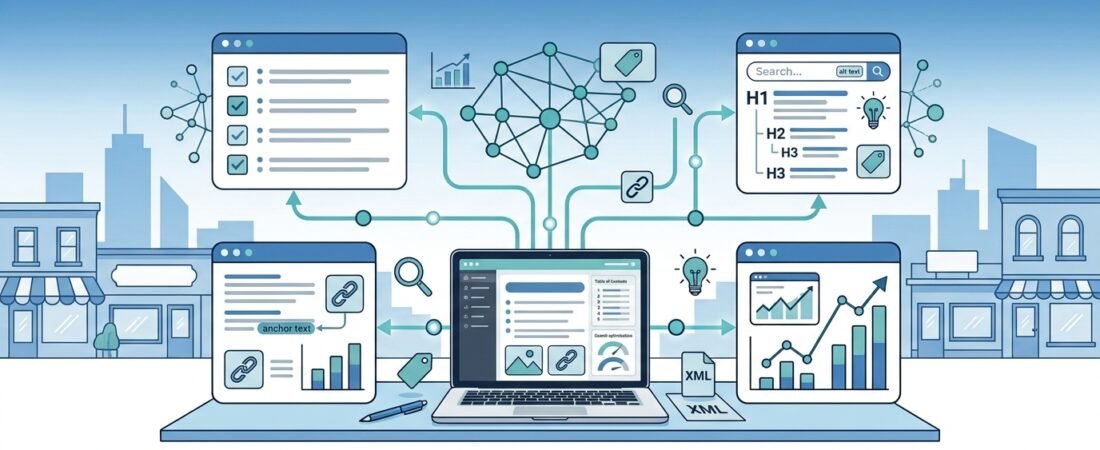
On-page SEO is the process of improving individual web pages so search engines can better understand their content and visitors can find the information they need.
For small businesses, freelancers, and website owners, many on-page SEO improvements can be completed without expensive tools or advanced technical knowledge.
This guide provides a practical on-page SEO checklist you can use before publishing a new article or updating an existing page.
What Is On-Page SEO?
On-page SEO refers to improvements made to the content and elements of a webpage. These include page titles, headings, written content, images, internal links, URLs, and aspects of the user experience.
It is different from off-page SEO, which includes activities such as earning relevant backlinks from other websites.
If you are new to search engine optimization, start with our SEO for Beginners: A Practical Guide to Search Engine Optimization for a broader introduction.
On-Page SEO Checklist: 15 Steps
Use the following checklist to review your important website pages.
1. Choose One Clear Primary Topic
Every page should have a clear purpose and address a specific user need.
Before writing, ask yourself:
- What question does this page answer?
- Who is the intended reader?
- What information or solution will the reader gain?
- What should the reader do next?
For example, an article about website optimization should focus on practical optimization steps rather than trying to cover every aspect of digital marketing.
A clear topic helps you create more focused content and reduces unnecessary repetition.
2. Research the Search Intent
Search intent describes what someone is trying to accomplish when entering a search query.
A person searching for an SEO checklist probably wants actionable steps. Someone searching for the best SEO software may want to compare products and prices.
Before creating a page, consider whether searchers are looking for:
- Information or explanations
- Step-by-step instructions
- Product comparisons
- Tools or services
- A specific website or brand
Your page should satisfy the main purpose behind the query rather than simply repeat the keyword.
3. Optimize the SEO Title
The SEO title helps describe your page in search results and browser tabs.
A good title should be:
- Clear and descriptive
- Relevant to the page’s content
- Distinct from other pages on your website
- Concise enough to communicate the main topic quickly
For example:
Better: On-Page SEO Checklist: 15 Steps to Optimize Your Website
Less helpful: SEO Tips and Tricks for Everyone
The first title tells readers exactly what they can expect.
Avoid repeating the same keyword unnecessarily or making promises the article cannot fulfill.
4. Write a Helpful Meta Description
A meta description is a short summary that may appear beneath your page title in search results.
Google may generate a different snippet from the page content depending on the search query, so a meta description does not guarantee that the exact wording will appear.
When writing one:
- Summarize the page accurately.
- Explain what the reader will learn.
- Include the main topic naturally.
- Give readers a reason to visit the page.
For this article, a suitable description is:
“Use this on-page SEO checklist to optimize titles, headings, URLs, images, internal links, and content. Follow 15 practical steps to improve your website pages.”
Write a unique description for each important page instead of copying the same text across your website.
5. Use a Clear Heading Structure
Headings help readers scan a page and understand how the information is organized.
Use a logical structure:
- H1: The main page title
- H2: Major sections
- H3: Subsections within a major section
For example, an H2 might be “Optimize Your Images,” while H3 headings could explain image filenames, alternative text, and image size.
Use headings to organize meaningful sections rather than inserting them merely to include additional keywords.
In WordPress, select the correct heading level from the editor instead of making ordinary paragraphs look like headings through bold formatting alone.
6. Place the Main Keyword Naturally
Your primary keyword should appear where it makes sense, such as the title, main heading, introduction, and relevant sections.
Related terms can also help you explain the topic more completely.
However, there is no universal keyword density that guarantees higher rankings.
Avoid forcing the same phrase into every paragraph. If a sentence sounds unnatural when read aloud, rewrite it for clarity.
The priority is to create a page that fully addresses the reader’s question.
7. Create Useful, Original Content
Content quality is central to a successful SEO strategy.
A page should offer more than a collection of general statements that readers could find anywhere else.
Improve your content by including:
- Practical instructions
- Relevant examples
- Original explanations or insights
- Common mistakes and solutions
- Comparisons when they help readers decide
- Links to trustworthy supporting resources
For example, instead of merely saying that image optimization matters, explain how to name image files, write meaningful alternative text, and avoid unnecessarily large image files.
Google’s guidance emphasizes helpful, reliable, people-first content. Read the official Google guide to creating helpful, reliable content for further guidance.
8. Make Your URL Clear and Readable
A page URL should help users understand what the page is about.
For example:
Clear: /on-page-seo-checklist/
Less clear: /page-id-8472/
Use a short, descriptive URL where practical. Avoid adding unnecessary words, dates, or repeated keywords.
If a page has already been published and indexed, do not change its URL casually. Changing a URL may affect existing links and search visibility. If a change is necessary, plan a proper permanent redirect and update important internal links.
9. Optimize Your Images
Images can explain ideas, improve readability, and help visitors understand a page.
Before uploading an image:
- Use a descriptive filename.
- Write useful alternative text for meaningful images.
- Resize images to suit their display dimensions.
- Compress images to reduce unnecessary file size.
- Use an appropriate image format, such as WebP, when supported.
- Place images near the relevant content.
For example, on-page-seo-checklist.webp is more descriptive than IMG_0038.webp.
Alternative text should describe the image’s relevant content or function. Do not fill it with a list of keywords.
Decorative images that convey no meaningful information generally do not need descriptive alternative text.
10. Add Relevant Internal Links
Internal links connect one page on your website to another.
They help readers discover related information and help search engines find and understand the relationships between pages.
For example, this checklist can link to your existing guides on small business SEO, keyword research, and SEO tools.
When adding internal links:
- Link to pages that genuinely help the reader.
- Use descriptive link text.
- Place links where they make sense in the discussion.
- Check that the destination URL works.
- Avoid adding links simply to increase their number.
For practical advice on broader SEO improvements, explore our SEO guide for small business websites.
You can also browse our free SEO tools for small businesses to find resources that may support your optimization work.
11. Link to Reliable External Sources
External links can provide readers with additional information, official documentation, or evidence that supports your explanation.
Choose sources relevant to the topic, such as official documentation, reputable research, or original sources.
For example, Google’s SEO Starter Guide explains how Google Search discovers and understands website content.
Before publishing, click every external link to confirm that it opens the intended page.
You do not need to add an external link to every section. Include one when it provides genuine value.
12. Make the Page Easy to Read on Mobile
Many visitors browse websites on phones and tablets.
Check that your page:
- Uses readable text sizes.
- Has enough spacing between paragraphs.
- Displays images correctly.
- Avoids horizontal scrolling.
- Has buttons and links that are easy to tap.
- Does not hide important information behind disruptive elements.
Use your website preview to inspect both desktop and mobile layouts.
A well-organized page helps readers find information without struggling with the design.
13. Check Page Speed and Technical Issues
A page that loads slowly or fails to display correctly can frustrate visitors.
Start with simple checks:
- Compress large images.
- Remove unnecessary plugins or scripts where appropriate.
- Avoid excessive animations and oversized media.
- Check that the page loads correctly on mobile devices.
- Make sure important content is accessible without technical errors.
For a WordPress website, avoid installing multiple plugins that perform the same function unless there is a clear reason.
You can also use Google PageSpeed Insights to review performance and receive suggestions for improvements.
Remember that a single performance score does not tell the whole story. Consider real user experience and the specific issues identified by the tool.
14. Add Clear Calls to Action
A webpage should help visitors understand what they can do next.
Depending on the page, a suitable next step might be:
- Read a related guide.
- Explore a relevant tool.
- Contact your business.
- Subscribe to a newsletter.
- Compare available products or services.
For an educational article, a link to a related guide is often enough.
Calls to action should fit the content and the reader’s needs. Avoid overwhelming visitors with too many competing requests.
15. Review the Page After Publishing
Publishing an article is not the end of the SEO process.
Use Google Search Console to monitor search impressions, clicks, queries, and indexing information where available.
After a page has had time to collect data, ask:
- Is Google discovering the page?
- Which queries are generating impressions?
- Are visitors clicking through from search results?
- Does the page answer the questions readers are likely to have?
- Are there outdated details or broken links to fix?
Not every change will improve rankings, and results can take time. Use the available evidence to decide what to improve instead of changing everything at once.
You can access Google Search Console to monitor your website’s search performance.
On-Page SEO Checklist Before Publishing
Use this quick checklist whenever you publish or update a page.
- The page has one clear primary topic.
- The content matches the likely search intent.
- The SEO title accurately describes the page.
- The meta description is relevant and unique.
- The page has a clear heading structure.
- The primary keyword appears naturally.
- The content provides useful information.
- The URL is descriptive and readable.
- Images have appropriate filenames and alternative text.
- Relevant internal links work correctly.
- External links lead to reliable resources.
- The page is readable on mobile devices.
- Large images and obvious performance issues have been checked.
- The page includes a useful next step where appropriate.
- Search performance can be monitored after publication.
You do not need to achieve perfection on every item before publishing. Prioritize useful content, clear structure, working links, and a good experience for readers.
Common On-Page SEO Mistakes
Keyword Stuffing
Repeating a keyword excessively can make content difficult to read. Use the main phrase naturally and cover the topic in a way that helps visitors.
Writing Titles That Do Not Match the Content
A title that promises something the page does not deliver may disappoint readers. Make sure the title, headings, and actual content are consistent.
Adding Internal Links Without Context
A link is most useful when it leads readers to relevant information. Avoid linking unrelated pages just to increase the number of internal links.
Ignoring Older Content
Some existing pages may need updated information, improved explanations, better internal links, or repaired URLs. Review pages periodically and make meaningful changes where needed.
Focusing Only on SEO Scores
SEO plugins can help identify missing titles, descriptions, and other basic issues. However, a high plugin score does not guarantee rankings or traffic.
Use SEO tools as a checklist, not as a replacement for judgment and useful content.
Frequently Asked Questions
What is an on-page SEO checklist?
An on-page SEO checklist is a set of steps used to review the content and elements of a webpage. It commonly covers titles, headings, keywords, content quality, URLs, images, internal links, usability, and performance.
Is on-page SEO important for small businesses?
Yes. Clear page structure, relevant content, descriptive titles, and useful internal links can help search engines understand a small business website and help visitors find relevant information.
How many times should I use my target keyword?
There is no fixed number that guarantees better rankings. Use your target keyword naturally where it accurately describes the page, and focus on answering the reader’s question comprehensively.
Do meta descriptions directly improve Google rankings?
Meta descriptions are primarily used to summarize a page for searchers and may influence whether someone chooses to click. Google can generate a different search snippet, and writing a meta description does not guarantee higher rankings.
Should I update old articles for SEO?
Update an article when information is outdated, the page no longer answers readers’ questions adequately, or you have a meaningful improvement to make. Avoid changing dates or rewriting content solely to make it appear fresh.
Can I do on-page SEO without paid tools?
Yes. You can make many useful improvements manually and use free resources such as Google Search Console, PageSpeed Insights, and Google’s official documentation. Paid tools may help with larger projects, but they are not required to begin.
Final Thoughts
On-page SEO is not about adding as many keywords as possible or achieving a perfect score in an SEO plugin. It is about making each page clear, useful, accessible, and easy for people and search engines to understand.
Start with the most important pages on your website. Review their titles, content, headings, images, and internal links. Then monitor their performance and improve them when you identify a genuine opportunity.
For your next step, explore our SEO guide for small business websites and free SEO tools guide to continue building a practical SEO strategy.
SEO practices and search features can change. Refer to official Google documentation for current guidance.