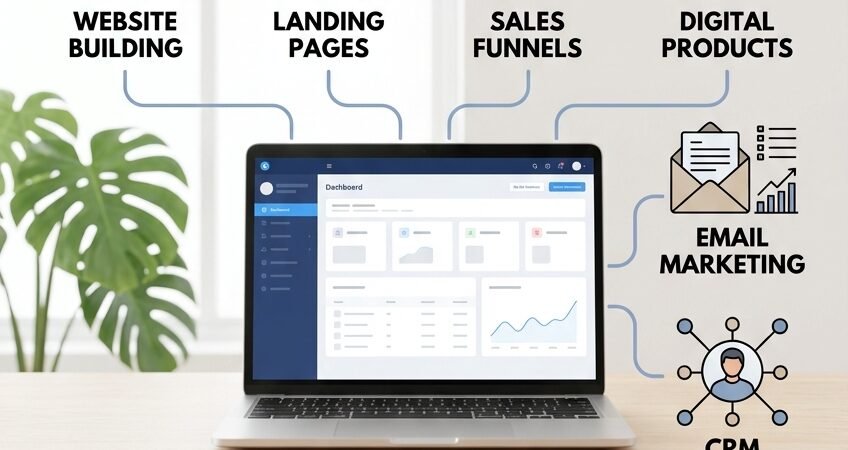
Building an online business can quickly become complicated. You may need a website, landing pages, email marketing, sales funnels, appointment scheduling, customer management, automation, and a way to sell digital products or online courses.
Many entrepreneurs solve these problems by subscribing to several different software platforms. Managing multiple subscriptions can increase costs and make it harder to connect different parts of a business.
Systeme.io takes a different approach. It is an all-in-one online business platform designed to bring many essential business functions together in one place.
But does an all-in-one platform actually make running a business easier?
In this Systeme.io review, we explore its main features, pricing considerations, advantages, limitations, and suitability for freelancers, creators, affiliate marketers, and small businesses.
Affiliate disclosure: This article contains affiliate links. If you sign up through our link, we may earn a commission at no additional cost to you.
What Is Systeme.io?
Systeme.io is an all-in-one platform for building and managing an online business.
Instead of using separate software for every part of your business, you can use Systeme.io to manage several common activities from one account.
Its features include:
- Website and blog building
- Sales funnels and landing pages
- Email marketing
- Marketing automation
- Contact management and CRM pipelines
- Appointment booking calendars
- Online courses and communities
- Digital and physical product sales
- Affiliate program management
The exact limits and availability of features depend on the current subscription plan.
For someone starting an online business, combining several tools in one platform can mean fewer integrations, less technical setup, and a simpler way to manage daily activities.
If you are comparing Systeme.io with another popular sales funnel platform, read our guide to Systeme.io vs ClickFunnels (2026): Which Is Better for Small Businesses?. It compares pricing, sales funnels, email marketing, automation, and the key differences to consider before choosing a platform.
Explore the platform: Systeme.io official website
Who Is Systeme.io For?
Systeme.io can be useful for several types of online businesses, although it may not be necessary for everyone.
Freelancers
Freelancers can use Systeme.io to create a website or landing page, collect leads, follow up through email, schedule appointments, and promote services or digital products.
For example, a freelancer could build this workflow:
Website → Contact Form → Lead Capture → Follow-Up Email → Booking → Client
This can create a more organized client-acquisition process than managing every inquiry manually.
Systeme.io may be worth considering for consultants, marketers, coaches, designers, writers, and service providers who want to build a repeatable system around their business.
For more ideas about growing a freelance business, explore our freelance business resources.
Coaches and Consultants
Coaches and consultants often need more than a website. They may need landing pages, email campaigns, appointment bookings, digital products, online courses, and automated follow-up.
An integrated platform can make it easier to connect these activities.
For example:
Landing Page → Free Resource → Email Sequence → Booking → Paid Service
This allows a business to build a simple customer journey without connecting several different platforms.
Online Course Creators
Online course creators often need a combination of:
- A website
- Sales pages and checkout
- Email marketing
- Course hosting
- Student management
- Marketing automation
Systeme.io includes tools for building and selling online courses, which may reduce the need for a separate course platform.
Before choosing a plan, check how many courses and students it supports and whether the included features meet your requirements.
Affiliate Marketers
Affiliate marketers need traffic, landing pages, email follow-up, useful content, and conversion workflows.
Systeme.io can help users build funnels, capture leads, create email sequences, and organize an affiliate marketing process.
The platform also provides affiliate-management functionality for businesses that want other people to promote their own products.
This means it can support two different activities: promoting other companies’ products as an affiliate and managing an affiliate program for your own products.
Small Online Businesses
Small online businesses often use separate tools for websites, email, landing pages, appointments, customer management, and digital products.
An all-in-one platform may reduce this complexity.
For businesses with relatively straightforward digital workflows, bringing these functions together can be more convenient than managing several separate subscriptions.
You can also explore our AI tools for small businesses to discover other tools that may support everyday business operations.
Systeme.io includes a website builder for creating websites, blogs, landing pages, and pages connected to a custom domain.
This can be useful for entrepreneurs who want to launch an online presence without managing a complicated technical setup.
For someone who needs a relatively simple business website, an all-in-one platform may be easier to manage than a more complex collection of tools.
However, businesses that need highly customized website design or advanced content management should compare the available features with those of dedicated website platforms.
2. Create Sales Funnels
Sales funnels are one of Systeme.io’s core functions.
A basic funnel might look like this:
Landing Page → Lead Capture → Email Follow-Up → Offer → Checkout
This helps businesses guide visitors through a structured customer journey.
Funnels can be particularly useful when a business wants to turn website traffic into leads or customers rather than simply display information.
3. Run Email Marketing
Email marketing remains an important part of many online businesses.
Systeme.io offers email campaigns and automated sequences that can connect with forms, funnels, and customer actions.
A simple workflow could be:
New Subscriber → Welcome Email → Follow-Up Email → Relevant Offer
This can help businesses maintain communication without manually sending every message.
The important part is to send relevant, useful messages and obtain permission where required, rather than overwhelming subscribers with promotional emails.
4. Automate Repetitive Tasks
Automation can reduce repetitive administrative work.
For example:
- A visitor submits a form.
- The contact is added to a list.
- A welcome email is sent.
- A follow-up sequence begins.
- The next action is triggered according to the workflow.
The exact process depends on the features and limits available in your plan.
The advantage is not simply saving a few clicks. It is creating a repeatable system that continues working when the business owner is busy.
5. Create Online Courses
Systeme.io can also be used to build and sell online courses.
This may be useful for coaches, consultants, educators, creators, subject-matter experts, and businesses that provide training.
A creator can combine course content with sales pages, email marketing, and automation inside the same platform.
Before building a course, check the plan’s course limits and confirm that the available student-management features meet your needs.
6. Manage Leads and Customers
Systeme.io includes contact-management and CRM pipeline functionality that can help businesses organize contacts and sales opportunities.
For example:
New Lead → Contacted → Qualified → Proposal → Customer
A structured process can make follow-up easier and reduce the chance that a potential customer is forgotten.
However, businesses with complex sales operations, extensive reporting requirements, or advanced CRM needs may prefer a dedicated CRM platform.
7. Manage Your Own Affiliate Program
Systeme.io also provides affiliate-management functionality.
A business selling its own products can use the platform to set up an affiliate program and provide affiliates with tracking links, subject to the available plan features and settings.
This means the platform can support both sides of affiliate marketing:
- Promoting other companies’ products as an affiliate.
- Creating an affiliate program for your own products.
If affiliate marketing is part of your business strategy, consider how the platform fits into your broader content and traffic plan.
Can Systeme.io Replace Multiple Tools?
This is one of the main reasons entrepreneurs consider Systeme.io.
A typical online business might otherwise need separate tools for:
- Website building
- Email marketing
- Sales funnels
- Online courses
- Appointment booking
- CRM and contact management
- Affiliate management
- Marketing automation
With an all-in-one platform, many of these functions can be brought together.
That can reduce the number of subscriptions and connections you have to manage.
But there is an important trade-off: a specialized tool may offer deeper features for one particular job.
For example, a dedicated CRM may provide more advanced sales reporting than an all-in-one platform. A specialized email marketing service may offer more complex campaign controls, while a dedicated website platform may provide greater design flexibility.
The real question is not whether Systeme.io can do everything better.
The better question is whether you value simplicity and integration more than specialized features.
If you need several connected tools and your workflow is relatively straightforward, an all-in-one platform may be practical. If one part of your business requires advanced functionality, a dedicated tool may be more appropriate.
Systeme.io for Freelancers
Systeme.io can make sense for freelancers who want to move from simply selling their time to building a more structured online business.
For example, a freelancer could create:
- A professional website
- A lead magnet or free resource
- An email list
- An automated welcome sequence
- A consultation booking page
- A service offer
- A digital product
- An online course
- An affiliate revenue stream
This can be particularly interesting for freelancers who want to develop multiple income sources over time.
However, someone who only needs a simple portfolio website may not need an all-in-one marketing platform.
The more functions you need, the more valuable integration may become.
Systeme.io for Small Businesses
Small businesses can use Systeme.io to create simple digital customer journeys.
For example:
Website → Lead Form → Contact Record → Email Follow-Up → Booking → Offer
Instead of manually moving customer information between different platforms, the business can connect several steps inside one system.
This may be useful for:
- Consulting businesses
- Coaching businesses
- Agencies
- Professional services
- Online businesses
- Training businesses
- Digital product businesses
The best fit depends on how complex the company’s current technology setup is.
If your main priority is improving repetitive marketing processes, our marketing automation tools guide provides additional options to consider.
Systeme.io for Affiliate Marketers
Affiliate marketing is another area where Systeme.io can be useful.
A simple affiliate workflow might look like this:
Pinterest or Google Traffic → Landing Page → Email List → Useful Content → Affiliate Offer
This is different from simply posting an affiliate link on social media.
A business owner can create a relationship with an audience first, provide useful information, and then recommend relevant products.
Systeme.io can help affiliate marketers create landing pages, build an email list, automate follow-up, and organize different parts of the funnel.
However, the platform does not automatically generate traffic or guarantee affiliate commissions. Results still depend on the quality of your content, audience needs, product selection, and marketing strategy.
Affiliate links should also be disclosed clearly to readers.
Is Systeme.io Good for Beginners?
One attraction of an all-in-one platform is that beginners can start without connecting many different applications.
Systeme.io offers a free plan, so users can test the platform before committing to a paid subscription. Its official pricing page lists limits for items such as sales funnels, automation rules, custom domains, and contacts. These limits should be checked before building your business around the free plan.
A better approach is to start with one simple workflow:
- Create a landing page.
- Collect leads.
- Send a welcome email.
- Present one relevant offer.
- Review the results.
Then gradually add more automation as your needs develop.
Beginners should avoid trying to build an entire online business on the first day. Starting small makes it easier to understand the system and identify which features are genuinely useful.
Is Systeme.io Easy to Use?
Ease of use is an important factor when choosing business software.
Systeme.io is designed around an all-in-one approach, which can make the overall technology setup easier to manage.
At the same time, having many features in one dashboard can feel overwhelming when you are just starting.
The best way to judge usability is to test the platform with a real business task.
Ask yourself:
- Can I create a landing page without outside help?
- Can I connect a form to an email sequence?
- Can I create a simple sales funnel?
- Can I organize customer information?
- Can I understand and maintain the workflow a week later?
A platform is only useful when you can use it consistently.
Systeme.io Pricing: What Should You Check?
Systeme.io offers a free plan and several paid plans. The available features and usage limits differ by plan.
The official pricing page currently lists the following free-plan limits:
- Up to 3 sales funnels
- 1 automation rule
- 1 custom domain
- Up to 2,000 contacts
The free plan may be sufficient for testing a simple workflow, but businesses should check the current pricing page for paid-plan prices, feature limits, and any changes before subscribing.
Official pricing page: https://systeme.io/pricing
When comparing plans, consider:
- How many contacts you need to manage
- How many funnels and websites you want to create
- Whether you need multiple automation rules
- Whether you plan to sell online courses
- Whether you need more than one custom domain
- Whether the features you require are included in the plan
Do not choose a paid plan simply because it includes more features. Choose the smallest plan that supports your actual business requirements, and upgrade only when necessary.
Systeme.io Pros and Cons
Pros
- Combines several online business functions in one platform
- Includes website and sales funnel tools
- Provides email marketing and automation features
- Supports online courses and digital products
- Includes contact management and CRM pipelines
- Offers affiliate-management functionality
- Provides a free starting option
- Can reduce the number of separate tools a business needs
Cons
- May not match every specialized tool’s advanced features
- The number of features can overwhelm beginners
- Advanced businesses may still need dedicated software
- Plan limits can affect how much you can build
- Businesses must still create content, attract visitors, and develop effective offers
Systeme.io is most useful when its connected features solve real problems. A long feature list alone does not guarantee that a platform is right for your business.
Is Systeme.io Worth It?
Systeme.io may be worth trying when your business needs several connected digital functions.
For example, it may be useful if you need a combination of:
- A website
- Landing pages
- Email marketing
- Automation
- Lead management
- Sales funnels
- Online courses
- Digital products
- Affiliate functionality
It may be less useful if your only requirement is a simple website or a basic email newsletter.
The strongest reason to consider Systeme.io is not that it has the largest feature list. It is that many of its features can work together within one platform.
Before signing up for a paid plan, try building one real workflow and confirm that it meets your needs.
How to Decide If Systeme.io Is Right for You
Before signing up, ask yourself five questions:
- Do I need more than one online business tool?
- Am I spending too much time moving information between platforms?
- Do I want automated email follow-up?
- Do I plan to sell services, courses, or digital products?
- Would one dashboard make my business easier to manage?
If you answer yes to several of these questions, Systeme.io may be worth testing.
If you only need a small number of features, compare it with simpler alternatives before committing.
A Simple Systeme.io Setup for Beginners
A beginner does not need to build everything at once.
A practical first setup could be:
Step 1: Create a simple landing page
Explain what you offer and give visitors one clear next step.
Step 2: Add a lead form
Collect an email address or other basic contact information that is relevant to your offer.
Step 3: Create a welcome email
Send a useful message after someone signs up.
Step 4: Add a short follow-up sequence
Provide useful information before presenting an offer.
Step 5: Create one offer
This could be a service, consultation, digital product, course, or another relevant offer.
Step 6: Review the results
Look at registrations, engagement, and conversions before building more complicated workflows.
This approach keeps the system simple while you learn how your audience responds.
Frequently Asked Questions
Is Systeme.io really free?
Systeme.io offers a free plan. It has usage limits, so review the official pricing page to confirm the current number of funnels, contacts, automation rules, and other included features.
Can I use Systeme.io for affiliate marketing?
Yes. You can use its website, funnel, email marketing, and automation features to support an affiliate marketing workflow. However, the platform does not guarantee traffic or commissions.
Can Systeme.io replace a website and email marketing platform?
For some businesses, it can combine website building, landing pages, and email marketing in one place. Whether it can replace your existing tools depends on your design, content, integration, and marketing requirements.
Is Systeme.io suitable for freelancers?
It may suit freelancers who need a website, lead capture, email follow-up, booking pages, or digital product sales. A freelancer who only needs a simple portfolio may not need all of its features.
Does Systeme.io include CRM features?
Yes. Systeme.io provides contact management and CRM pipeline functionality. Businesses with advanced sales reporting or complex CRM requirements should compare it with dedicated CRM software.
Should I start with the free or paid plan?
Start with the free plan if its current limits cover your needs. Consider upgrading only when you need additional capacity or features that are unavailable on your existing plan.
Final Verdict
Systeme.io is best understood as an all-in-one online business platform rather than just an email marketing tool or website builder.
Freelancers can use it for websites, lead generation, email follow-up, and digital products. Coaches and consultants can connect content, bookings, and offers. Course creators can combine course delivery with sales and marketing. Affiliate marketers can build funnels, capture leads, and automate follow-up. Small businesses can use it to connect different parts of their digital customer journey.
It will not be the perfect solution for every business. If you need highly specialized software with advanced features in one specific area, a dedicated platform may be a better choice.
But if your priority is to build and manage an online business with fewer moving parts, Systeme.io is worth testing.
The best way to evaluate it is to start with one real business problem and see whether the platform makes that process simpler.
Affiliate disclosure: If you sign up through our Systeme.io affiliate link, we may earn a commission at no additional cost to you.